Advertise

Dokie AI

OtherBusinessPresentation

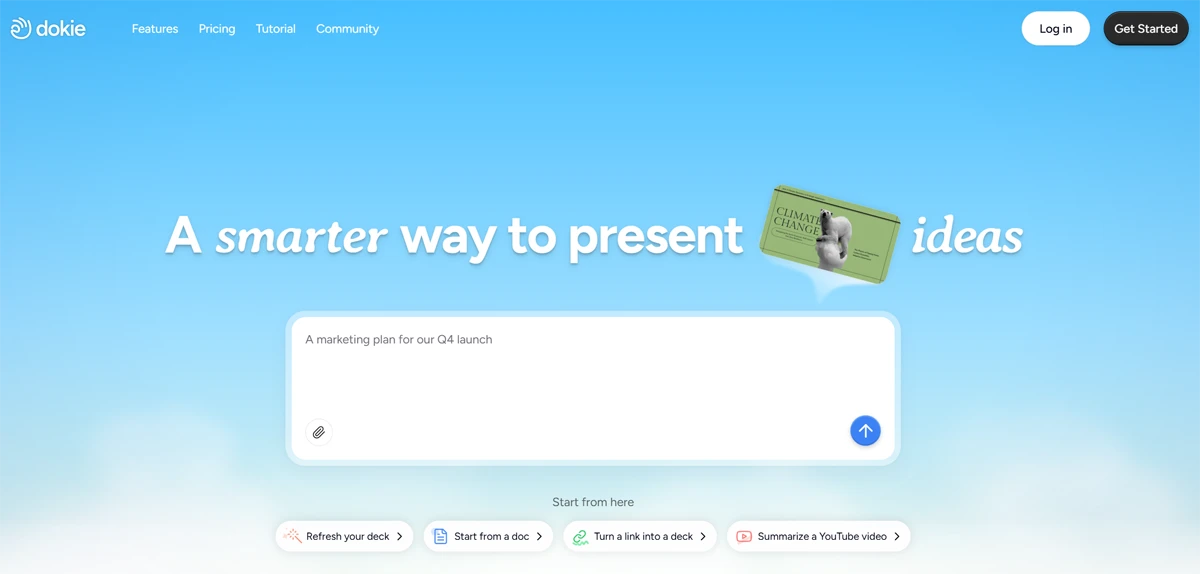
Create professional presentations in just a few minutes from plain text, notes, or a document. The AI generates the deck’s structure, formats the slides, adds visuals, charts, and presentation notes, and then lets you export the file to PowerPoint, ready to present

Clicks

68

Ranked in AIForest

Impressions

11,089

Directory views

Category

Other

Freemium

Listed

June 2026

Other, Business

Screenshot

dokie.ai

Pros and cons

Pros

  • Automated conversion of raw text and unstructured notes into structured slide decks
  • Generates speaker notes and visual aids like charts to supplement slide content
  • Supports direct export to PowerPoint for seamless offline editing and presenting
  • Reduces the manual effort required for initial slide layout and formatting

Cons

  • AI-generated charts and visuals may require manual verification for data accuracy
  • Complex document structures might necessitate manual re-ordering of slides post-generation
  • Design customization depth within the platform may be limited compared to native PowerPoint tools
  • Output quality is heavily dependent on the clarity and organization of the input text

FAQ

How does Dokie AI handle existing documents and notes?

Dokie AI analyzes the content of your uploaded documents or pasted notes to extract key themes and data points. It then organizes these into a logical presentation structure. Users should verify which specific file formats are supported and evaluate how the AI prioritizes information during the summarization process before exporting the final deck.

Can I edit the slides after the AI generates them?

Yes, the platform allows for formatting and structural adjustments after the initial AI generation. Because the tool supports exporting to PowerPoint, you can also perform advanced design tweaks, add specific animations, or apply corporate branding within the Microsoft ecosystem to ensure the final file meets your professional standards.