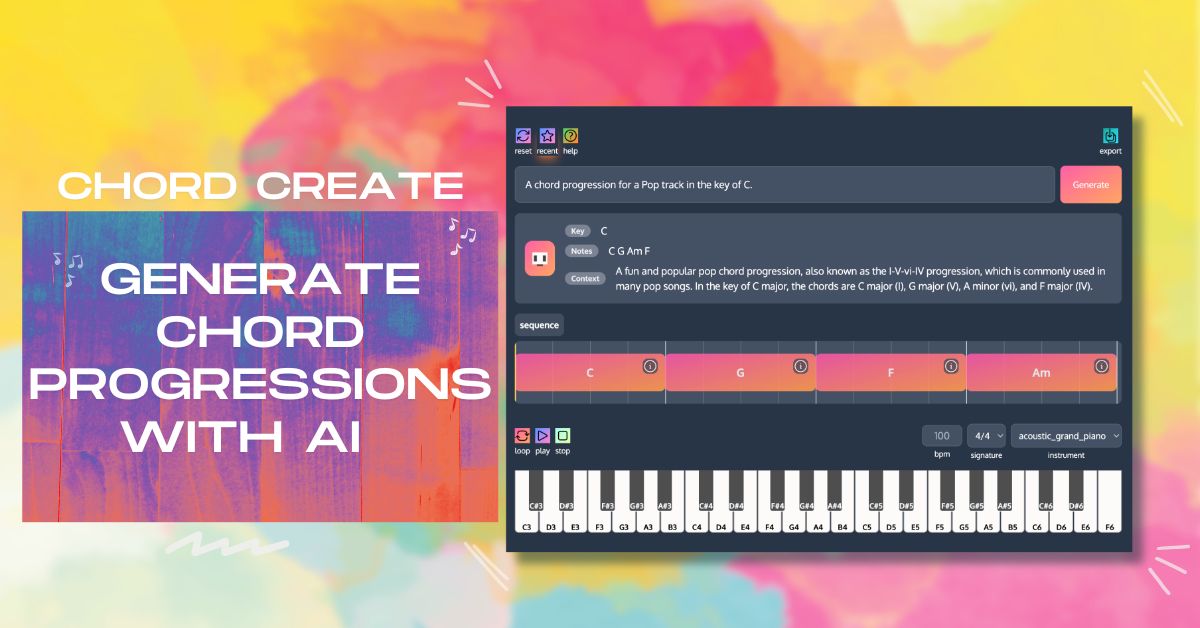
ChordCreate is an AI-powered chord progression generator designed to help musicians and producers create amazing chord progressions with ease. It allows users to spend more time on creative music production and less time struggling with chords by providing features like chord swap, sequence history, and custom chords. The tool supports MIDI and WAV export, making it compatible with digital audio workstations (DAWs) and suitable for various music genres.
ChordCreate serves as a digital assistant for musicians and producers aiming to streamline the songwriting process through AI-driven chord progression generation. By automating the harmonic structure, the tool allows users to focus on melody and arrangement rather than manual chord theory.
It includes specialized features such as chord swapping and sequence history to refine musical ideas. For integration into professional workflows, it provides MIDI and WAV export options, ensuring compatibility with standard Digital Audio Workstations (DAWs).
Whether you are a beginner looking for harmonic inspiration or an experienced producer needing a quick foundation for a track, ChordCreate offers a structured environment to experiment with custom chords and automated sequences. Users should evaluate how the AI-generated patterns align with their specific genre requirements and whether the free version meets their production volume needs.
The tool aims to reduce the time spent on technical chord selection to maximize creative output.

Compare ChordCreate with alternative Audio, Music & Speech tools before choosing a product.
ChordCreate is currently listed as a free tool on AIForest. Prospective users should visit the official website to determine if there are any daily generation limits, usage caps, or if premium tiers for advanced features or commercial licensing are available beyond the base free offering.
Explore similar AI tools from the same category and use case.
ChordCreate supports both MIDI and WAV exports. This allows you to drag and drop generated sequences directly into your Digital Audio Workstation (DAW), such as Ableton Live, FL Studio, or Logic Pro. You can then apply your own virtual instruments or samples to the generated harmonic patterns for further production and arrangement.
Yes, the tool includes a chord swap feature and supports custom chords. This allows you to take an AI-generated foundation and manually refine specific chords to better match your artistic vision or the requirements of your melody, providing a helpful balance between automation and manual creative control during the songwriting process.