Advertise

AI Video Summarizer

Content Creation & GenerationSummarization ToolsSummarizerTranscriber

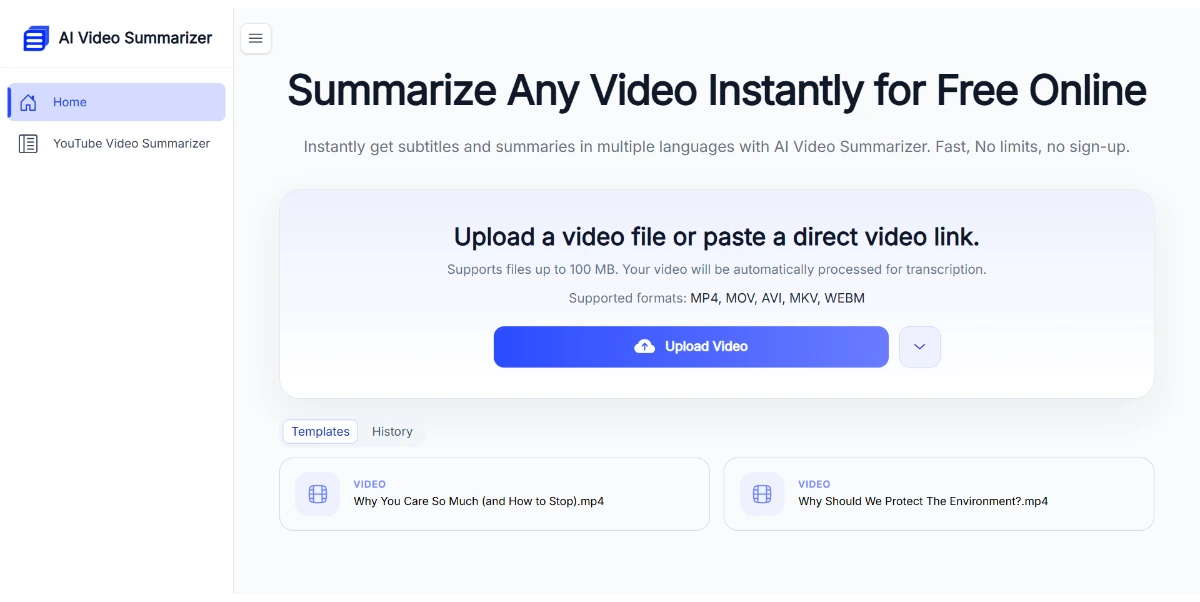
Paste a YouTube link or upload your video file to get a structured summary, a full transcript, subtitles, and clickable chapters in seconds. Nine different summary styles cover lectures, meetings, podcasts, and interviews

Clicks

49

Ranked in AIForest

Impressions

9,414

Directory views

Category

Content Creation & Generation

Summarization Tools

Listed

June 2026

Content Creation & Generation, Summarization Tools

Pros and cons

Pros

  • Generates clickable chapters for easy navigation through long video content
  • Offers nine different summary styles tailored to specific use cases like meetings or lectures
  • Provides full transcripts and subtitles alongside structured summaries
  • Supports both direct file uploads and external YouTube link processing

Cons

  • Summary accuracy may vary based on the clarity of the audio and speaker accents
  • Potential limits on the duration or file size of videos processed per session
  • Technical or niche jargon in specialized lectures might require manual correction
  • Dependence on third-party video hosting stability for link-based processing

FAQ

Can I summarize videos that are not hosted on YouTube?

Yes, the tool is designed to handle both public YouTube links and direct video file uploads. This makes it suitable for summarizing private recordings, such as internal company meetings or personal study sessions, that are not hosted on public platforms. Users should verify the specific file formats supported on the official website.

What kind of summary formats does the tool provide?

The platform provides nine distinct summary styles to match different content types. These include specialized formats for academic lectures, business meetings, podcasts, and interviews. By selecting the appropriate style, the AI can better structure the output to highlight relevant information like action items, key arguments, or narrative highlights.