 Flair AIFreeImage generator to design photos or images for marketing
Turn your text into Excel and Google Sheets data, automate your repetitive tasks
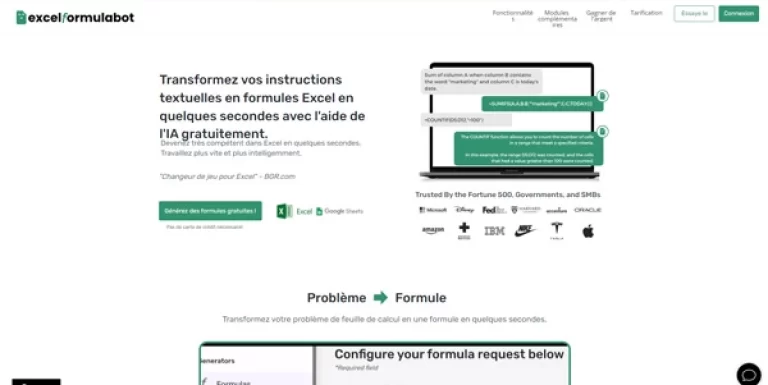
Excel Formula Bot is a productivity tool designed to bridge the gap between natural language and complex spreadsheet logic. By interpreting user-provided text descriptions, the platform aims to generate functional formulas for both Microsoft Excel and Google Sheets.
This approach is intended to assist users who may struggle with syntax or those looking to accelerate their workflow by automating repetitive data entry and calculation tasks. Beyond simple arithmetic, the tool focuses on translating intent into actionable spreadsheet commands, potentially reducing the time spent searching through documentation or forums.
Users should evaluate how the tool handles nested functions and specific data structures unique to their workbooks. As a Freemium offering, it provides an entry point for testing basic conversions before committing to higher-volume usage.
It serves as a digital assistant for anyone managing data-heavy files, aiming to simplify the process of turning raw ideas into structured spreadsheet outputs without requiring deep technical expertise in formula syntax.
Compare Excel Formula Bot with alternative Business & Marketing tools before choosing a product.
Flair AIFreeImage generator to design photos or images for marketing PipedriveFree trialSales management tool designed to track every opportunity, from initial contact to closing. You can view your pipeline, automate follow-ups with AI, schedule activities, and use charts or reports to increase your conversion rate
 NamelixFreeThis artificial intelligence helps you easily find a name for your business, brand, or company. It also offers design ideas for your future logo.
 GuiddeFreemiumA generative AI platform for companies specializing in creation of documentation by video. Google Chrome extension available
 DurablePaidCreate your professional website in seconds thanks to AI. The platform integrates intelligent marketing tools, a CRM and automated SEO management to develop your business
Excel Formula Bot is listed with a Freemium pricing model. Check the official website for current plan details and limits. This model typically allows users to test the formula generation capabilities with a limited number of requests before deciding if a paid tier is necessary for higher volume needs.
Explore similar AI tools from the same category and use case.
 Benchmark EmailFreeCreate professional and attractive emails
 KeychainFreean AI-powered platform that helps brands and retailers find and manage manufacturing partners. Access over 1M products and 30K qualified manufacturers
 Notta AIFreemiumAn AI capable of listening to conversations and transcribing them into text. Also works in your meetings, Zoom, Google meet, Microsoft Teams, etc.
 Upmetrics AIPaidTurn your idea into a successful business. This tool writes your business plan, establishes your financial projections, and creates compelling presentations to attract banks and investors, effortlessly
 MiddayFreeSimplify the management of your business with this all-in-one tool. Track your finances, manage projects, store files and send invoices with ease
The tool uses natural language processing to interpret the logic described in your text prompt. It then maps these instructions to the specific syntax required by Excel or Google Sheets. Users should provide clear, step-by-step descriptions of their desired calculation to help the system generate the most accurate formula structure for their specific data set and workbook requirements.
Yes, Excel Formula Bot is designed to support both major spreadsheet platforms. When generating a formula, you can typically specify which software you are using to ensure the syntax is compatible. This is particularly useful as some functions and naming conventions differ between Microsoft’s desktop ecosystem and Google’s cloud-based spreadsheet application, ensuring cross-platform utility.
It is highly recommended to verify every generated formula before applying it to critical data. While the tool aims for accuracy, complex logic or ambiguous prompts can lead to errors. Users should treat the output as a draft or suggestion, testing it against known values to ensure the calculation performs as expected within their specific spreadsheet environment.