Caricamento...
How to Repurpose a Webinar into LinkedIn Posts with AI
Find distinct webinar ideas, draft faithful LinkedIn posts, and prepare clips with a source-led repurposing workflow.
Start with one audience question
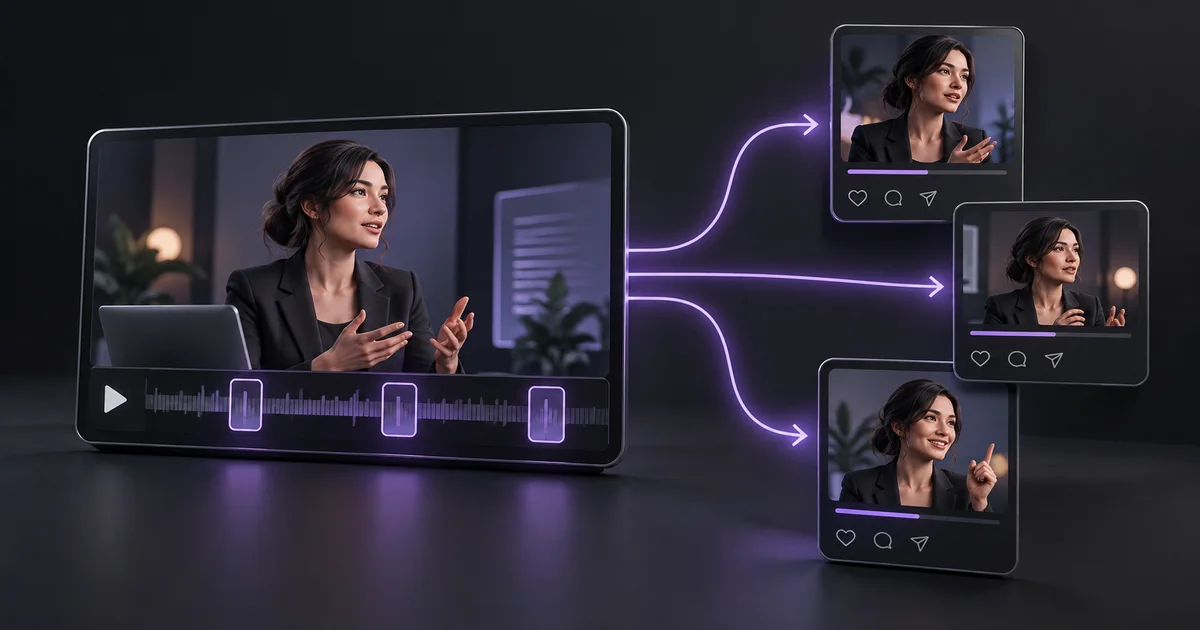
To repurpose a webinar into LinkedIn posts, identify the specific question the recording answered. A forty-minute session may contain introductions, product updates, and several unrelated discussions. Do not turn the entire transcript into a generic promotional summary. Choose one useful idea per post and preserve the speaker's meaning.
Our fictional example is a webinar about reducing customer onboarding delays. Its strongest point is that a missing setup checklist can look like a product problem. That idea can become a short explanation, a practical checklist, and a clip. Each should stand alone for someone who has never seen the original recording.
Use editing tools where they help
Descript supports transcript-based video editing and turning selected material into clips. That makes it useful for finding a segment and preparing a visual version of an idea. A writing assistant can help reshape the transcript into a text post, but it should not supply evidence the speaker never gave.
Your publishing tool handles scheduling and account access. Keep those roles separate when comparing products. During a trial, select the same two-minute segment in each candidate and measure the effort needed to find it, correct transcription errors, export a usable clip, and produce a faithful post. Check current export and plan limits before building a recurring workflow.
Source: Descript video-to-text tools.
Select three different angles
Read the transcript and mark moments that contain a clear problem, a concrete example, or a useful instruction. For the onboarding webinar, one angle is a misconception: customers do not always need more features; sometimes they need a visible next step. A second angle is a checklist of setup information to send before a kickoff call.
A third is a question inviting readers to share their biggest onboarding bottleneck. These are different contributions, not the same post with a new opening sentence. Keep a source timestamp beside each angle and exclude claims that depend on slides or statistics you cannot verify from the available materials.
Build a small repurposing brief
Give the assistant the selected excerpt, audience, original source link, and intended format. Specify whether the post is educational, a discussion starter, or an invitation to watch the recording. State which details must remain unchanged, including numbers, quotations, and caveats.
In our example, the speaker says a checklist helped their team coordinate setup; that does not prove every business will reduce onboarding time by a fixed percentage. Ask for a source map showing which transcript lines support each factual statement. This is especially helpful when a polished draft introduces a stronger claim than the webinar actually made. Remove unsupported claims before considering style.
Draft with a focused prompt
Try: “Turn this webinar excerpt into one LinkedIn text post for SaaS founders. Explain one practical idea in plain language. Include a short example and one relevant question. Use only the supplied facts.
Do not invent results, quotes, client names, or statistics. Avoid a sales pitch. Return the draft and a list of statements that need verification.” Then ask for a second format, such as a five-point checklist, using a different excerpt. Keep the final text concise enough to read comfortably, but do not force every post into an identical length. The value comes from a clear idea and accurate evidence, not a formulaic hook.
Edit the clip and its context
If you publish a clip, ensure it contains the complete thought rather than cutting off a qualification. Review captions for names, technical terms, and punctuation. Include enough context in the accompanying text for a reader to understand why the advice matters.
Check speaker permission and ownership of the recording before reusing it publicly. A silent preview should still make sense with captions, while the thumbnail should reflect the subject rather than promise a result the clip never delivers. For the checklist example, show the relevant setup steps and explain that teams should adapt them to their own product. A clean excerpt usually needs less decoration than a vague one.
Space posts around reader value
Plan a short sequence rather than publishing every derivative asset together. Begin with the strongest practical idea, follow with the checklist, and later share the clip or recording link if it adds depth. Avoid posting the same takeaway repeatedly just because the tool generated many variants.
Track meaningful replies, saves where available, and visits to the relevant resource. Use distinct tagged links when linking to your site so you can compare post formats in analytics. Impressions alone do not show whether someone learned anything or explored your work. Review which questions readers ask, then use those questions to choose the next excerpt.
Keep a source-led content library
Store the webinar title, permission status, transcript, selected timestamps, approved claims, and published assets together. That record makes future reuse faster and prevents accidental repetition. If a speaker later corrects a statement, you can identify which posts need updating.
Repurposing works best when the original recording contains useful substance; AI cannot create a genuine case study from a thin sales presentation. Start with one recording, publish a few distinct pieces, and improve the process based on editing time and reader response. Explore video and content tools on AIForest to find candidates, then test them with the actual webinar you intend to reuse.
Sources and editorial notes
Product references were checked on 7 October 2026. Examples and prompts are illustrative workflows, not claimed customer results or hands-on product benchmarks. Check current vendor documentation before choosing a plan.
Find tools for your workflow →Keep exploring
Alcune descrizioni degli strumenti possono apparire in inglese quando la traduzione automatica non è disponibile.